
0

dpjadmin
To Add text of two or more cells in Excel you have to use the Formula Bar which is shown above the work area of sheet with a symbol of functions.
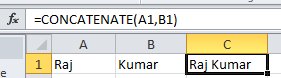
Type in the formula bar "=CONCATENATE(A1,B1) and so on
It will provide the result as below
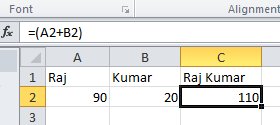
To add numbers in two or more cell you have to use the "+" sign with the address of cells like this
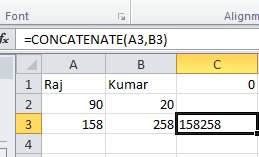
See the difference in adding ofnumbers as text
1 Subscribers
Submit Answer
0 Answers